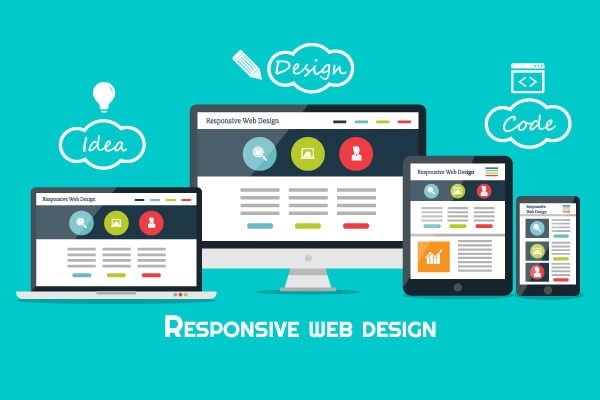
If you work in advertising, you’re bound to come across “responsive ads.”
Currently, this specification is used by many web advertising platforms, including Google Ads and SmartNews Ads.
However,
"What exactly are responsive ads?"
"How can I use this effectively?"
There are quite a few people who have questions like these.
In this article, we’ll cover everything from the basic mechanics of responsive ads to,
We'll provide a detailed, easy-to-understand explanation—from how to set it up to tips on how to use it—even for beginners!
What Are Responsive Ads?
"Responsive ads" are ads that adapt to different devices, such as PCs, smartphones, and tablets,
This refers to an ad that uses a mechanism to automatically optimize and display its layout.
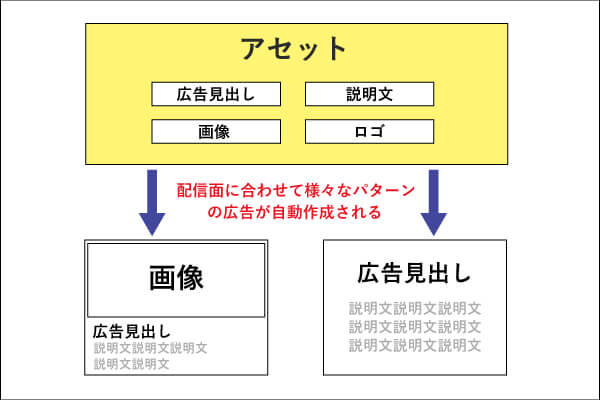
In a nutshell?
This eliminates the need to create multiple ads individually for different devices, and
This system automatically delivers content with the optimal design based on pre-configured “assets.”
In other words, you don't have to create multiple ads tailored to smartphones, tablets, and other devices,
If you prepare the specified assets,It's designed to fit perfectly within the streaming frame.。
What is an asset?
An "asset" refers to an element that makes up an advertisement.
For example:
- Image
- Logo
- Heading Text
- Description
Simply by preparing these assets, your responsive ads will be delivered in the optimal format to fit a variety of ad slots.
Types of Responsive Ads
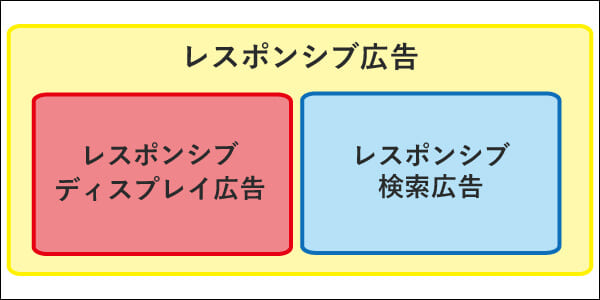
There are two types of responsive ads:
- Responsive Search Ads(RSA: Responsive Search Ads)
→ The ad format displayed on the search results page. - Responsive Display Ads(RDA: Responsive Display Ads)
→ A banner ad format displayed on the Google Display Network (GDN).
This time, in particular, Responsive Display Ads (RDA Ads) Focusing on,
We will provide a detailed explanation of the submission guidelines, setup procedures, and important points to note.
>>>If you'd like to learn more about responsive search ads, please check out the article below.
About Responsive Display Ads (RDA)
One set can accommodate a variety of display surfaces
With RDA ads, once you set up your assets, they are automatically optimized for "size" and "format" to work with a wide range of ad slots.
For example, it can be applied to both 300×250 banner ad slots and text-only ad slots.
This allows us to display ads on a wide range of ad placements that standard display ads cannot cover.
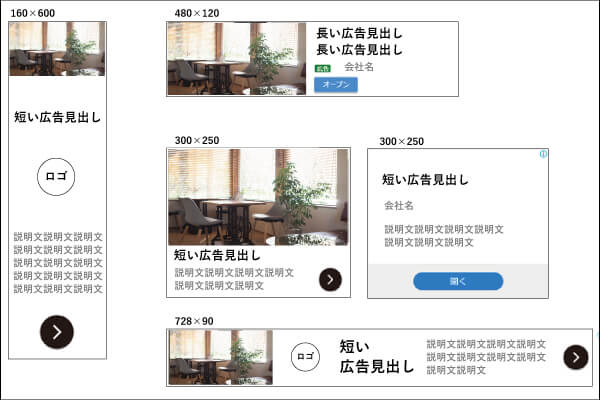
The image above is an example of an advertisement.
The layout is primarily based on images and text, but as shown by the 300×250 size mentioned above,To display text onlyThere are some, too.
Also, to use responsive display ads,Four AssetsYou must submit the file.
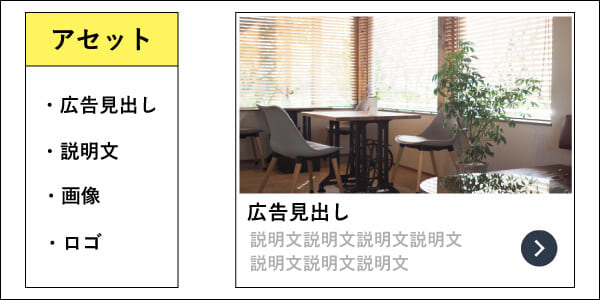
It's really convenient because you can simply submit these assets and have them displayed across all platforms that match the ad space.
Submission Guidelines for Responsive Display Ads
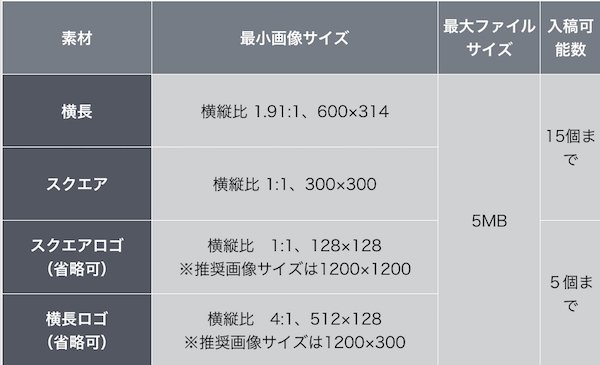
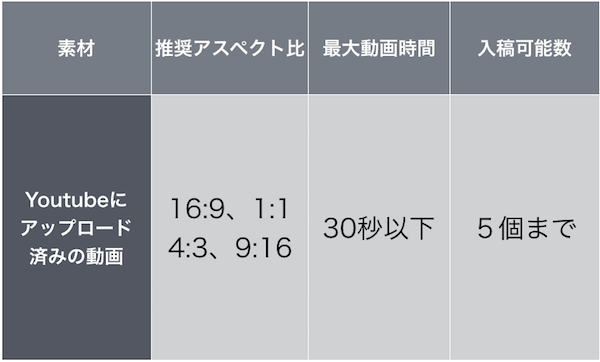
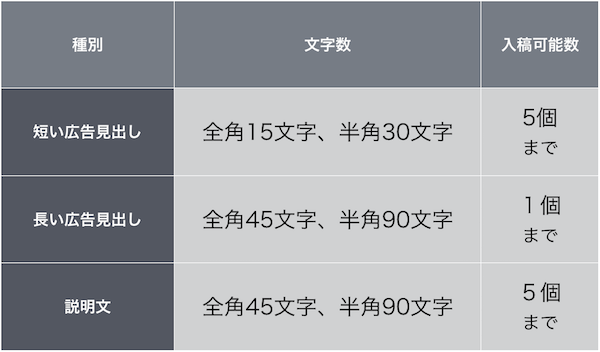
When creating an RDA ad, you'll need to prepare the following assets:
Image
Video
Ad Copy
Preparing these correctly will enable your ads to be displayed in a variety of ad slots.
>>>If you'd like to learn more about GDN, please check out the article below.
Benefits of Responsive Display Ads
To use them effectively, you need to understand the benefits of responsive display ads.
1. Compatible with a wide range of display surfaces
The greatest strength of RDA advertising is its overwhelmingly broad reach.
For example, while standard banner ads are displayed only in slots of a specified size (e.g., 300×250), RDA ads are optimized by Google’s algorithm to adapt to other sizes and formats as well. As a result:
- Expanding the Target Audience
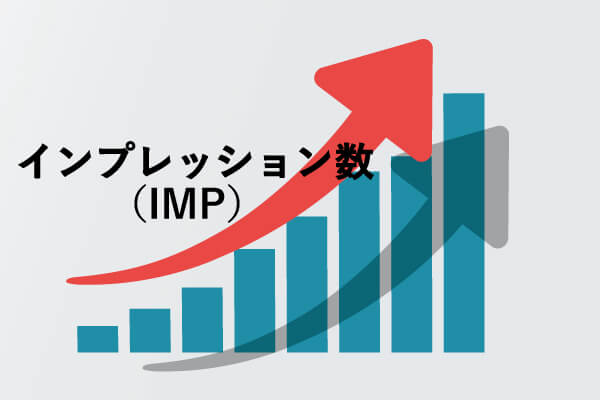
- Increase in Impressions (Number of Views)
...can be expected.
Real-Life Success Stories
CTR (click-through rate) has doubled compared to standard display ads.
There have also been reports of cases where CV (conversions) increased by 811 TP3T.
2. Optimization Using Machine Learning
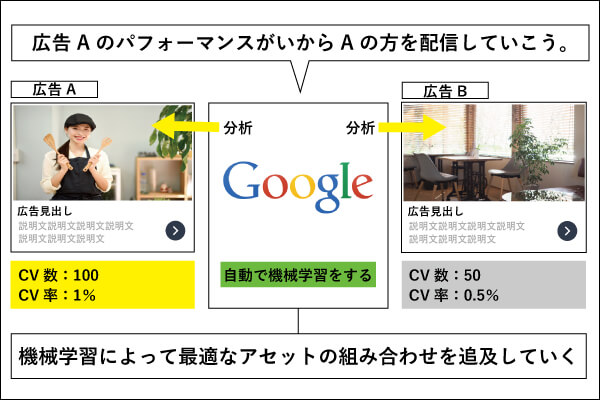
RDA ads utilize Google's machine learning to automatically select the optimal combination based on delivery data.
This reduces the amount of work required for ad managers to perform detailed optimizations one by one.
3. Saving Time and Money
Since you only need to set up the images and text once to get ready for distribution, this also helps reduce production time.
This is particularly effective when you need to create a large number of ads.
Points to Note About Responsive Display Ads
While RDA ads are convenient, there are a few things to keep in mind when managing them.
1. Text must not exceed 20% of the total image area.
If the amount of text in an image exceeds 20%, it may not pass review. Please take this into consideration during the image design phase.
2. Assume that the edges of the image will be cropped
To fit within the ad space, each side of the image may be cropped by up to 5%. Be sure to position important elements near the center of the image.
How to Set Up RDA Ads
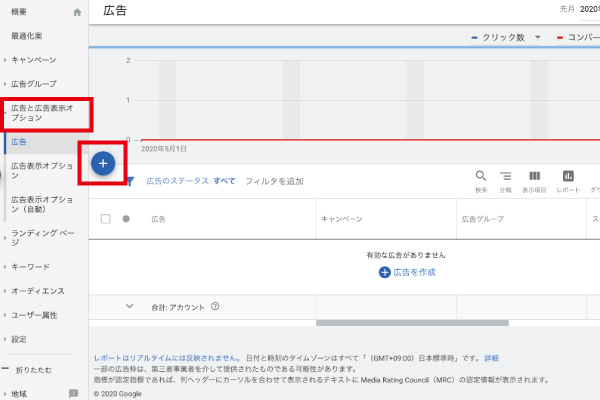
Step 1: Click “+” within the campaign
Here's how to set up responsive display ads on Google: ①[Ads and Ad Display Options]Click here. Then click the blue button[+]Click here.
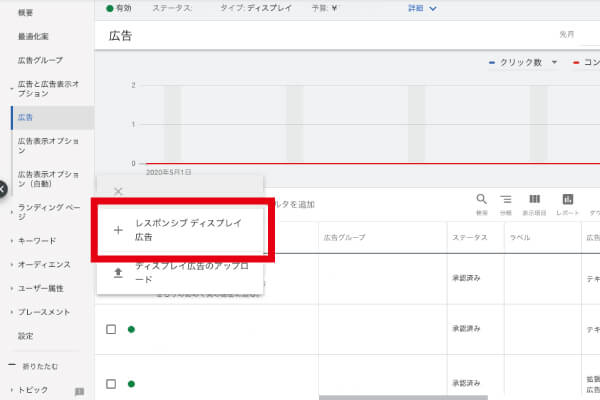
Step 2: Select “Responsive Display Ads”
Step 3: Enter the required information
- Last Page URL
- Images and Logos
- Ad Headlines (Both Short and Long)
- Description
After entering all company names, click "Save."
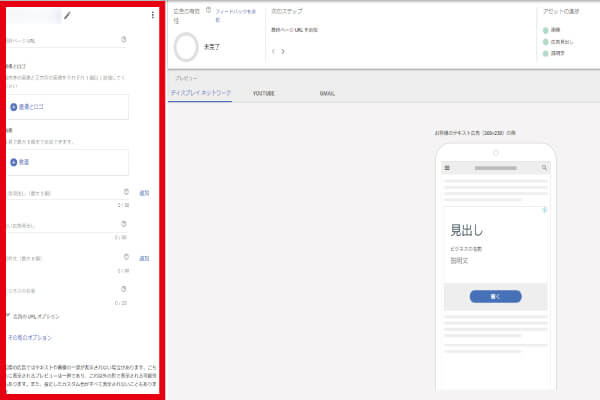
That completes the setup for responsive display ads.
Tips for Managing Responsive Display Ads
Finally, I’d like to share a few important points to keep in mind when running responsive display ads.
1. Consistency Between Ads and Landing Pages
If the ad and the landing page don't match, the bounce rate after a click will increase.
In particular, make sure the information conveyed in the ad is reflected in the first view of the landing page.
Within the first 2 to 3 seconds after a user accesses the site,"This is exactly the kind of site I wanted to see."In order for people to recognize that,Consistency Between Ads and the First ViewEssentialThat's how it works.
2. Focus on a Rapid PDCA Cycle
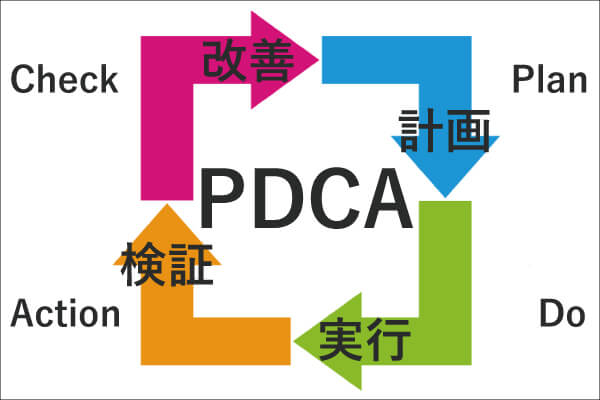
With responsive display ads, Accelerating the PDCA cycle is the keyThat's it.
Since RDA ads allow you to easily update your assets, it’s important to actively test them to find effective combinations.
3. Create content that works as an advertisement even when it consists solely of text
As mentioned above, responsive display ads may sometimes appear as text-only ads.
Therefore,It is necessary to design it so that the content can be understood even from the text alone.
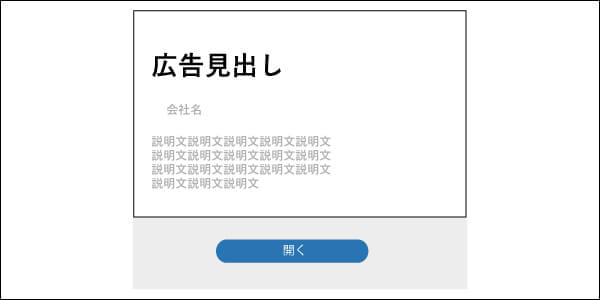
From an operational perspective,"Images" and "Text"Since you’ll be submitting both at the same time, it’s easy to assume they’ll be displayed together, but be sure to create your content with the possibility in mind that text-only versions may also be displayed.
4. Configure Detailed User Targeting
To reduce unnecessary ad impressions, narrow down your target criteria to maximize effectiveness.
For example, even if you show men ads for products aimed at women, it’s unlikely to lead to conversions, right?
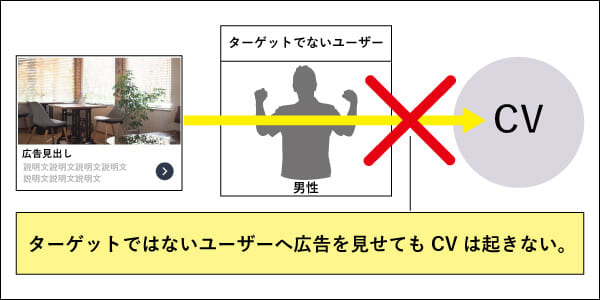
In that caseExcluding men,、Adjust to ensure maximum reach among the target audiencePlease do so.
By doing so, you can use responsive display ads efficiently and effectively.
Summary
Responsive display ads are one of the most flexible and effective ad formats available on Google Ads.
However, we must not simply succumb to its appeal; we need to make a conscious effort to use it properly, keeping in mind the appropriate operating procedures and precautions.
With advances in automation and machine learning, RDA advertising is set to continue evolving in the future.
To make sure we don’t get left behind, let’s master the basics and put them to good use!