


Here's how to list a product on Amazon:
There are two main methods.
The first one is “"List a New Item"、
The second one is on the marketplace
"List on this page""Joint Listing"That's it.
In this post, we'll cover what you need to know when registering a product, and
The product registration steps listed above,
I will explain these points in detail.
[What You'll Need]
■Important Information
・Product Name
・Product Code
・Brand Name
・Manufacturer Name
■Listing Information
・Price
・Condition
■Image
・Main Image
When listing a product on Amazon, you must upload at least one product image.
Images displayed in search results"Main Image"That's what they say.
[Steps for Listing a New Item]
When registering a product that hasn't been listed yet,
You must register using the "New Listing" method.
Here,
Here are the steps for registering a new listing.
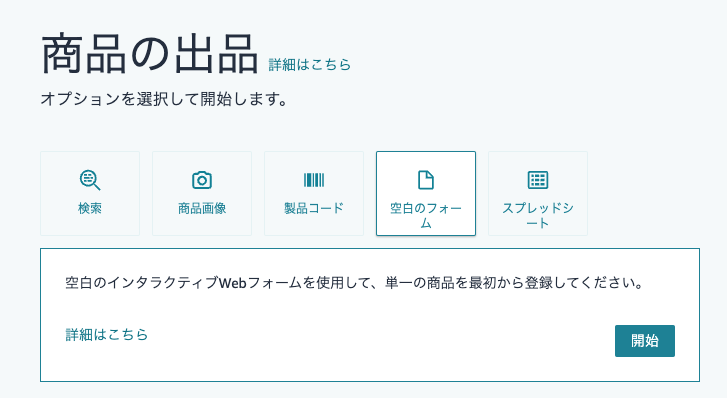
- 1. Click "Catalog" → "Product Registration"
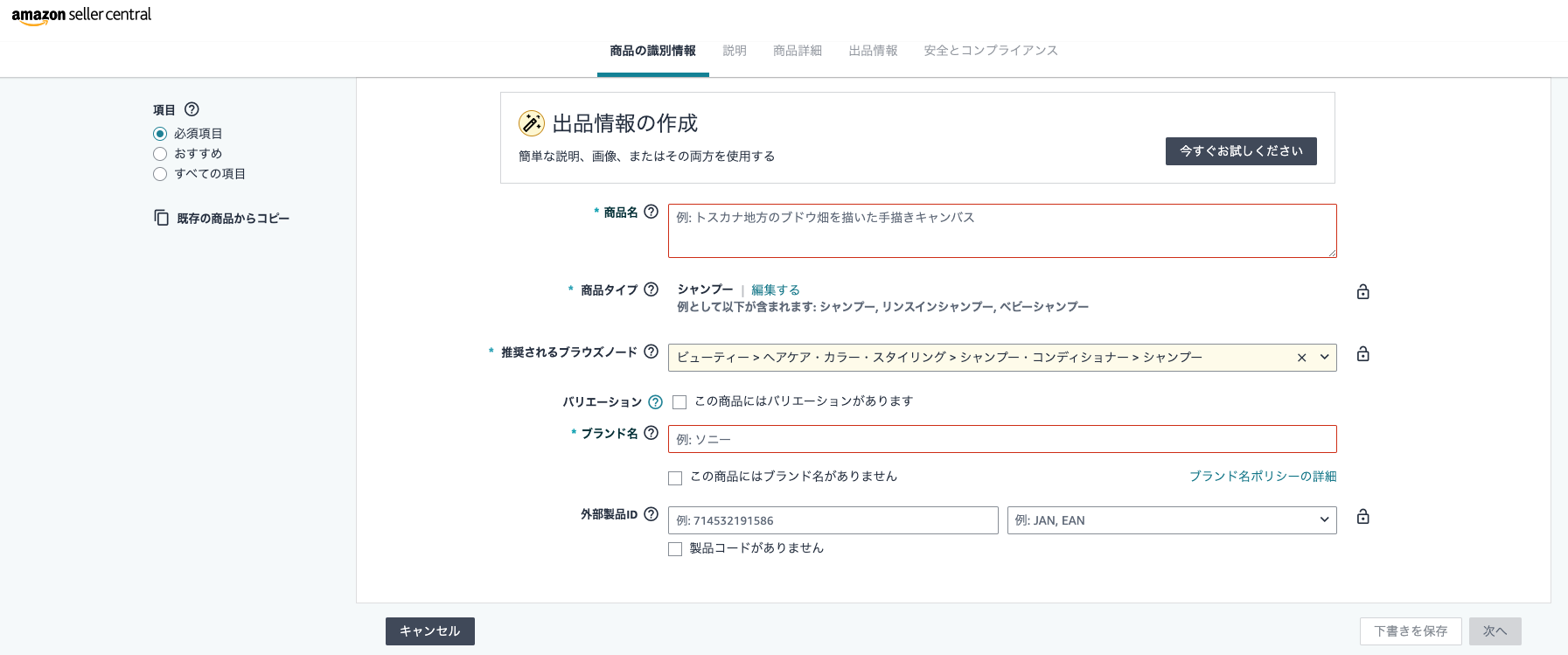
- 2. Enter the product name, product type, and brand name
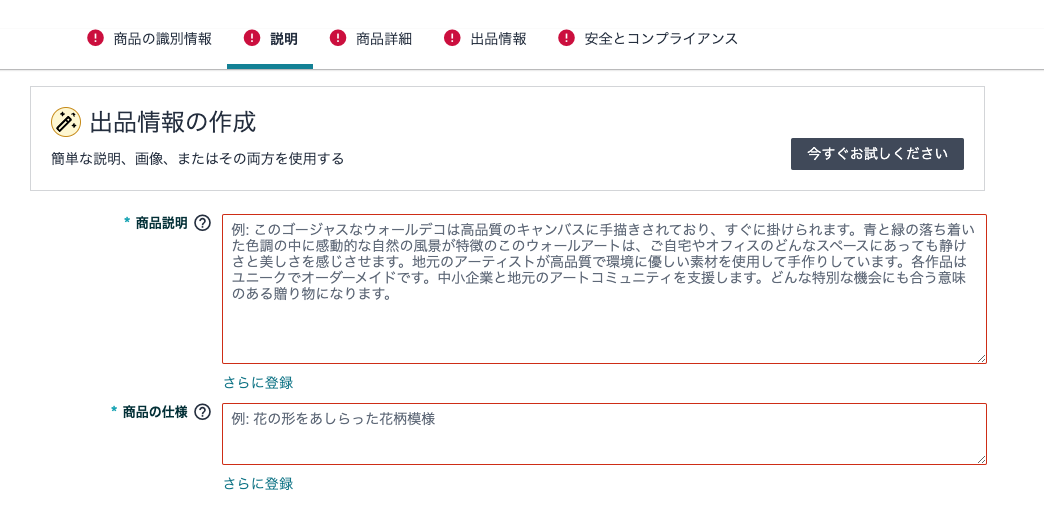
- 3. Entering Product Descriptions and Listing Information
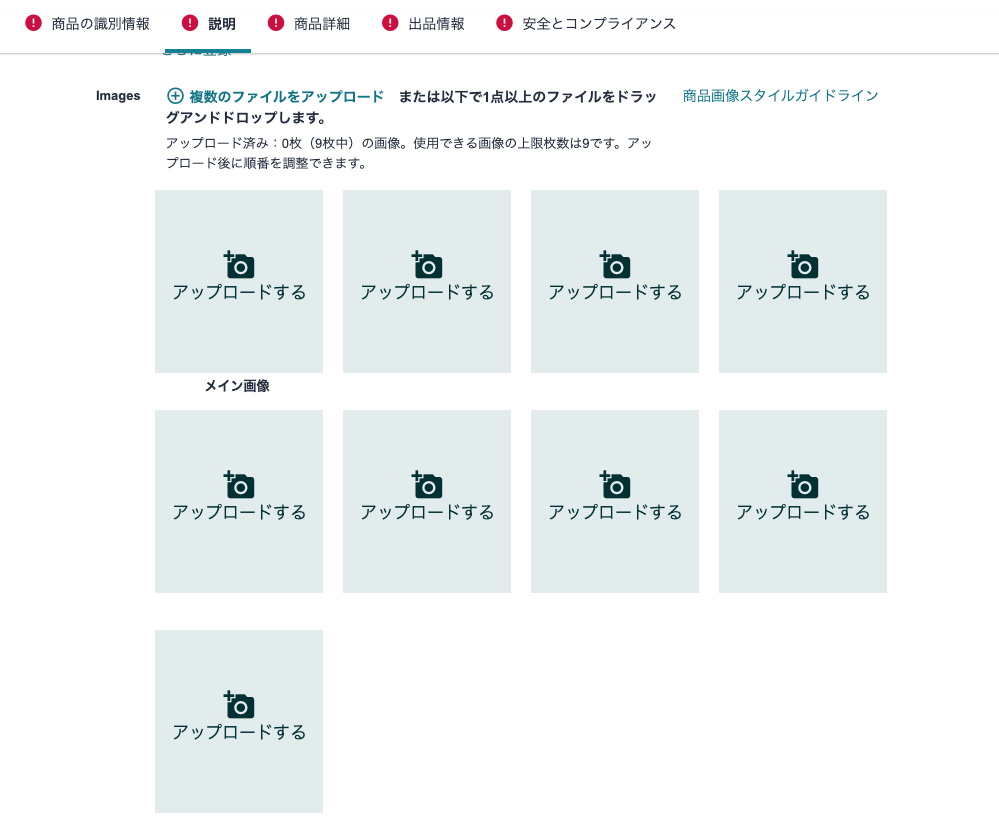
- 4. Add an Image
First, please log in to Seller Central, and
Catalog → Product Registration→ Blank Form → StartClick in that order.
2.Enter Product Name, Product Type, and Brand Name
Next, enter the product name and product type.
If you filter the items to show only “required fields,”
The screen for entering the product name and product type will appear.
Based on the product information, enter the correct details and then click the "Submit" button.
(*) If there is no brand name, check the box labeled “This product has no brand name.”
3.Entering Product Descriptions and Listing Information
Next, enter the listing information, such as the product description and specifications.
4.Add Image
Here, you can upload product images.
You can register up to 9 images.
Finally, click "Send" to complete your registration.
These are the fields you need to fill out when registering a product.
After you register,Within 15 minuteswill be reflected and published on Amazon.
However, depending on the product, it may take some time for the changes to take effect.
Up to about 24 hoursPlease be aware that this may happen.
[Steps for Listing a Shared Listing]
Listing items on the marketplace is,
In order to piggyback on product pages already listed on Amazon
「Joint ListingIt is called "(Sales)."
The difference from a new listing is shown in the box in the image below
"Product Code"
In the section, the items already available on Amazon
When you enter a product's ASIN or JAN code,
You will be automatically redirected to the product page input screen.
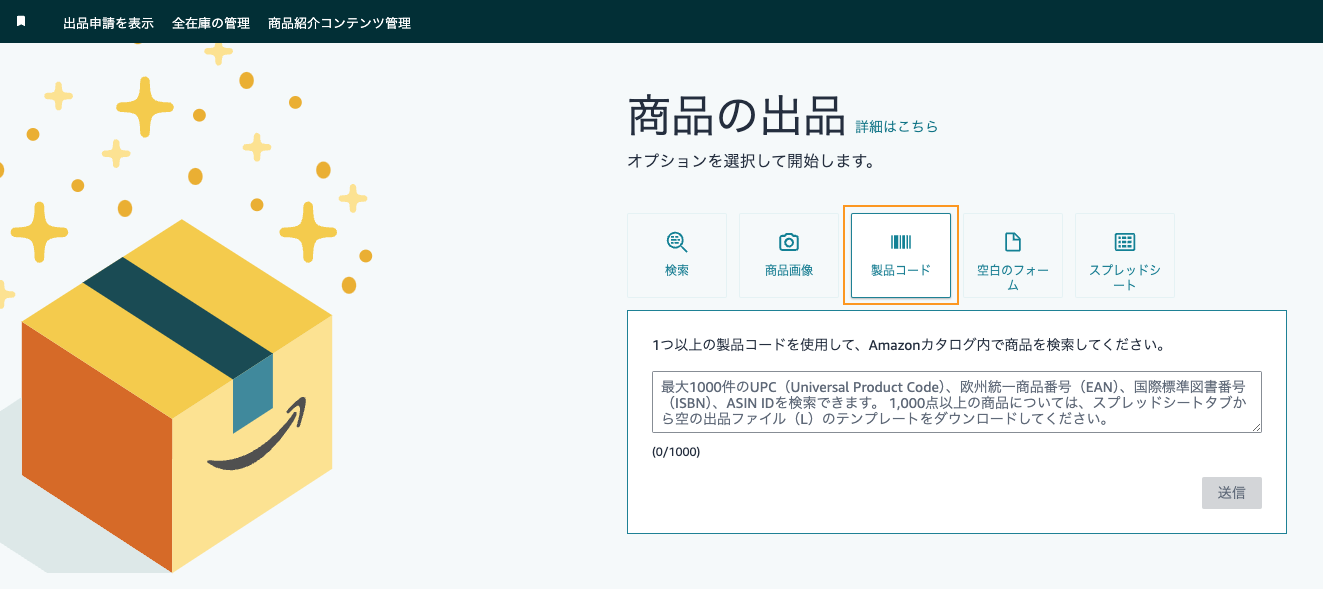
The rest of the steps are the same as for a new listing: fill in each field, and
Click "Save and Exit" to complete the registration.
[Important Notes When Listing an Item]
Here, we’ll go over some points to keep in mind when listing items for shared shipping.
Listing a shared item means that,
Sharing an Amazon ASIN, in other words
This means we'll be sharing the product page as well.
Even among stores with the same ASIN code, those with higher sales
Since product page information is updated frequently,
Even if you change the product title or description,
In some cases, the changes may take a while to appear.
Please be aware.
[Summary]
The product registration process is very simple.
Enhance your product pages, and
Let's work together to create a store that customers are more likely to choose.
How to open a store on Rakuten, one of the e-commerce marketplaces, is as follows:
This is covered in the article below. Please take a look.



アイキャッチnew.jpg)