

Sponsored Products, Sponsored Brands, Sponsored Display, Amazon DSP…
Among the various types of Amazon ads,
In this article, we’ve put together an easy-to-understand guide to “sponsored display ads,” covering everything from the basics to tips for managing them.
Please feel free to use this as a reference.
What Are Sponsored Display Ads?
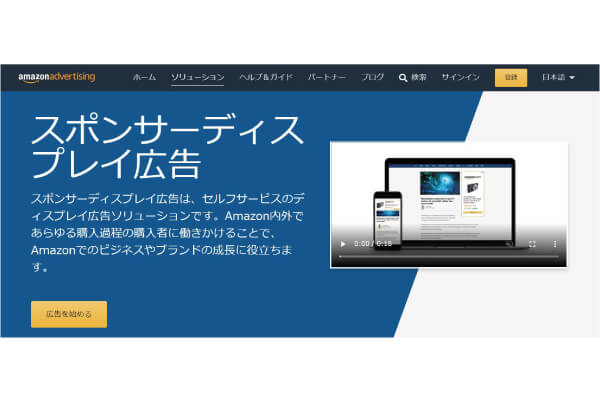
Sponsored display ads are ads that are served based on three types of targeting methods.
They appear in a different location than Sponsored Products and Sponsored Brands ads.
You can set it to either cost-per-click (CPC) or cost-per-thousand impressions (CPM).
Conditions for Using Sponsored Display Ads
There are two requirements for placing sponsored display ads.
You cannot use sponsored display ads unless these two conditions are met.
Wholesale Listings
One reason is that it involves large-volume sales.
When listing products on Amazon, sellers can choose between two listing methods: “Professional” and “Individual.”
Sponsored display ads are available only to large-scale sellers.
For more information on bulk and small-lot listings, please click here.
Brand Registration
Another point is that we are registering our brand.
When you register your brand, Amazon will protect it.
To register a brand, you must obtain a trademark.
Since it takes about six months to a year to obtain a trademark, brand registration used to take quite a long time.
However, thanks to Amazon’s new service, “IP Accelerator” (Trademark Registration Assistance),
It is now possible to register a brand even before the trademark has been fully granted.
Registering your brand offers various benefits beyond just gaining access to sponsored display ads, so
If you haven't registered yet, be sure to do so.
Benefits of Sponsored Display Ads
There are several benefits to running sponsored display ads.
More display locations
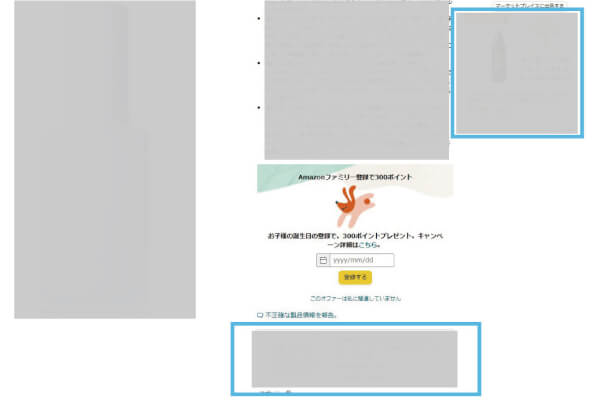
Sponsored display ads appear primarily in the following slots.
Product Page
<パソコン>
<スマホ>
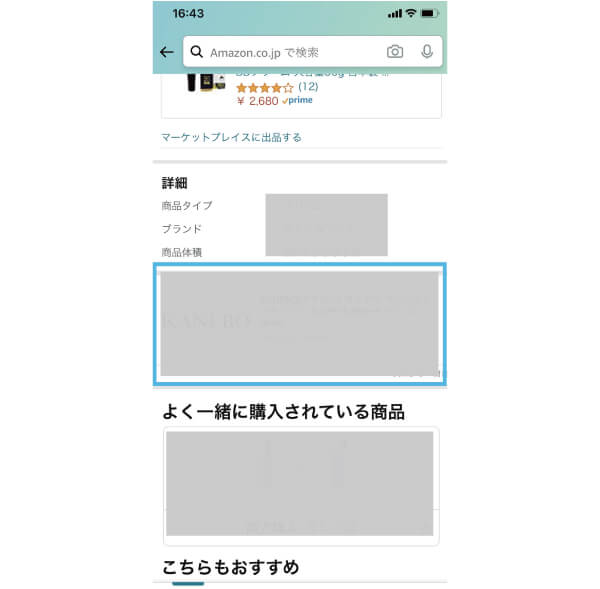
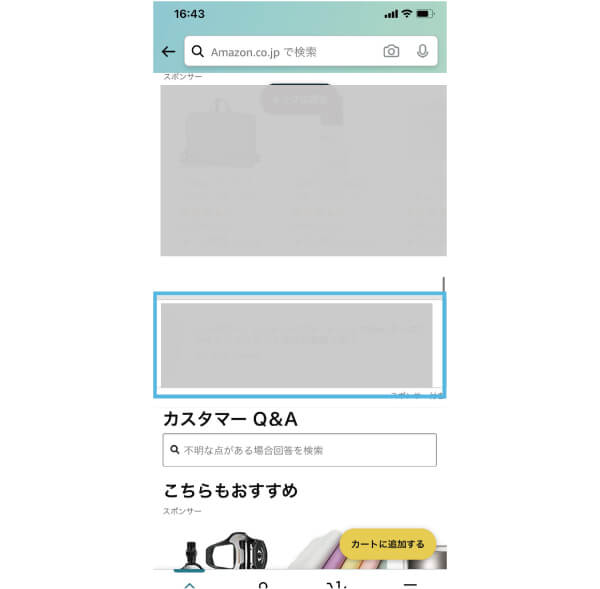
It appears around the "Buy" button, where it is likely to catch the user's eye when they are purchasing a product.
This makes it possible to guide users who are on the fence about making a purchase to the product page you want them to visit.
It's more likely to appear because there's less competition
Unlike Sponsored Products ads, Sponsored Display ads,
Since this feature cannot be used without brand registration, the number of sellers who can use it is limited.
As a result, few sellers use sponsored display ads, and
It can be displayed relatively easily.
It includes a retargeting feature
Sponsored display ads are tailored to users' purchasing behavior,
Users who are interested in the products our company sells
TrackIt includes a feature for displaying ads (retargeting).
This does not apply to Sponsored Products or Sponsored Brands ads.
Disadvantages of Sponsored Display Ads
In contrast, sponsored brand ads have the following disadvantages.
I can't select or exclude keywords or ASINs
Since Amazon automatically optimizes ads, you cannot manually select or exclude keywords or ASINs.
As a result, there is a risk of wasting advertising budget.
To avoid wasting money on advertising, be sure to review the ad campaigns you create every day.
How to Manage Sponsored Display Ads
How to Set It Up
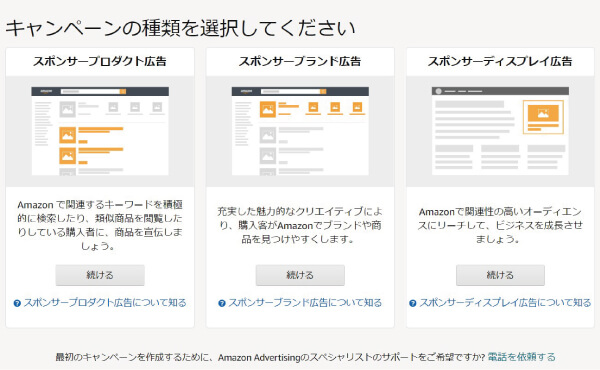
Let's try setting up a sponsored display ad.
① Select “Continue” on the sponsored display ad on the right
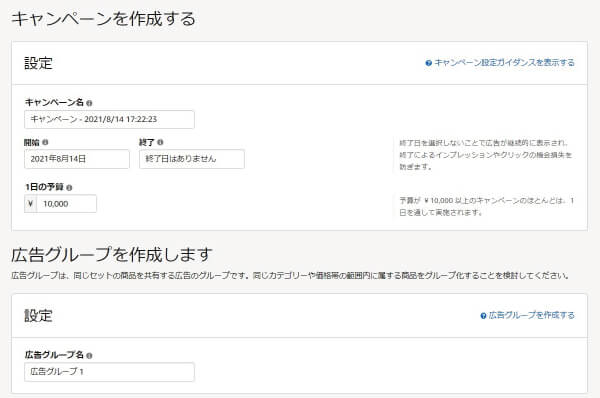
② Enter the campaign name, daily budget, and ad group name
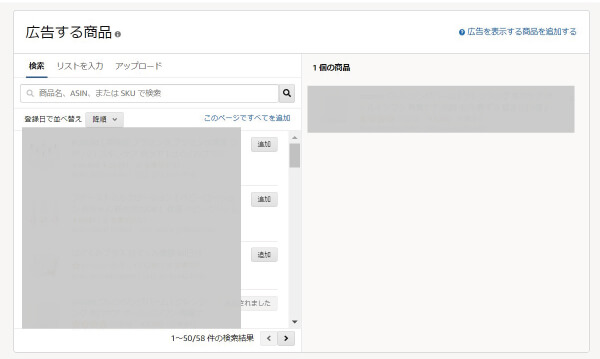
③ Select the product you want to advertise
④ Select Targeting
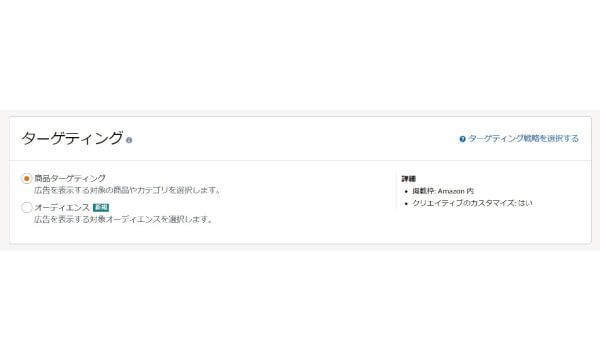
There are two types of targeting.
▼Product Targeting
This involves retargeting users who view products designated as targets. Ads are displayed within Amazon.
▼Audience
Amazon analyzes users' purchasing behavior to target them.
⑤ Set up a bid
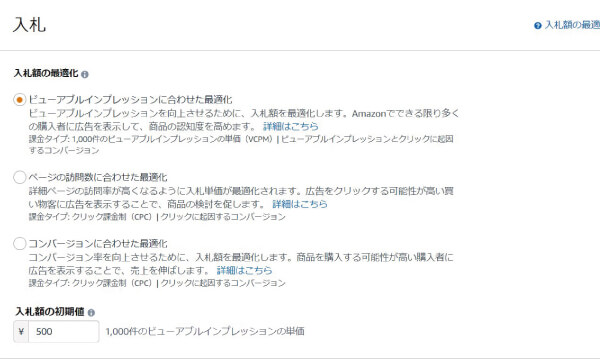
In sponsored display ads,
You cannot select from multiple options for the bid amount, such as “Down Only,” “Up and Down,” or “Fixed.”
It's "Up and Down" only. In "Up," the bid can go up to a maximum of 300% of the set bid amount.
(Example: If you set your bid to 100 yen, it may increase to a maximum of 400 yen.)
There are three types of bid optimization, and the details of each are as follows.
▼ Optimization Based on Viewable Impressions
We optimize the ad to ensure it is shown to users with a high level of interest in the ad.
You'll be charged the bid amount you set for every 1,000 impressions.
*If you set your bid to less than $3, your ad may not be served.
▼Optimization Based on Page Views
We optimize bid amounts based on the ad's CTR.
Low CTR → Lower bids → Reduced exposure
High CTR → Higher bid amounts → Increased exposure
▼Optimization Based on Conversions
We optimize bid amounts based on the ad's conversion rate.
Low CVR → Lower bid amounts → Reduced exposure
High CVR → Higher bid amounts → Increased exposure
⑥ Advanced Targeting Settings
The process after setting the bid amount is the same as when you select “Product Targeting” in Step ④, and
This depends on whether you select “Audience.”
<商品ターゲティングを選択した場合>
⑥-A Select the product to set as the target
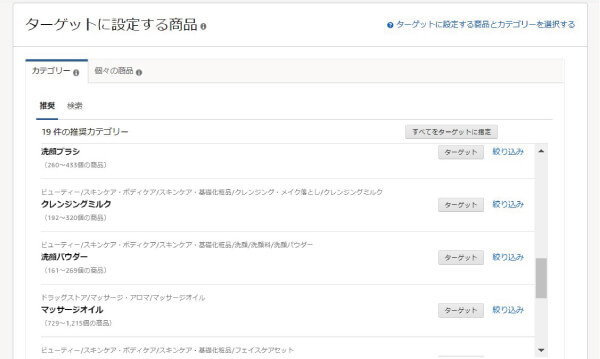
Select the target category or product.
<オーディエンスを選択した場合>
⑥-B: Set Up the Audience
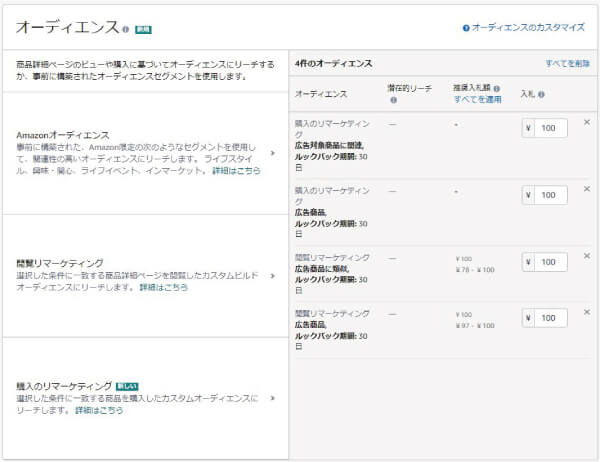
There are three types of audiences.
▼Amazon Audience
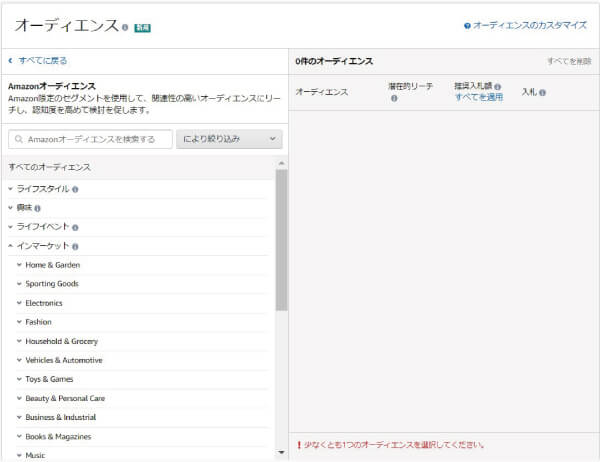
Amazon Audiences consists of the following four categories.
In-Market: For active users who have recently purchased items in a specific category,You can target by category.
Lifestyle:Advertisers can target users based on their lifestyles. Amazon categorizes users' lifestyles based on their purchasing behavior.
Interest: Amazon analyzes categories of interest based on users' purchasing behavior. Users are categorized by interest, and advertisers can target them by interest category.
Life Events: We target users who have recently been involved in activities related to major life events, such as moving or getting married.
▼View-Based Remarketing
We retarget users who have viewed the advertised product, other similar products, product categories, brands, and so on.
▼Purchase Remarketing
We retarget users who have purchased the advertised product, other similar products, products in the same category, or products from the same brand.
⑦ Create the creative
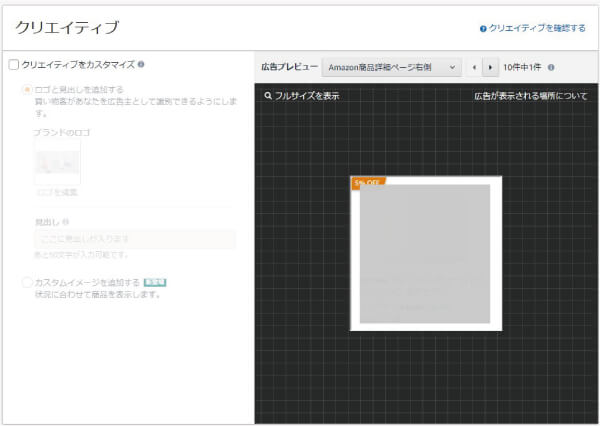
The creative will be displayed as-is in the ad.
Generally, product images, product names, and prices are displayed, and reviews may also be shown depending on the location.
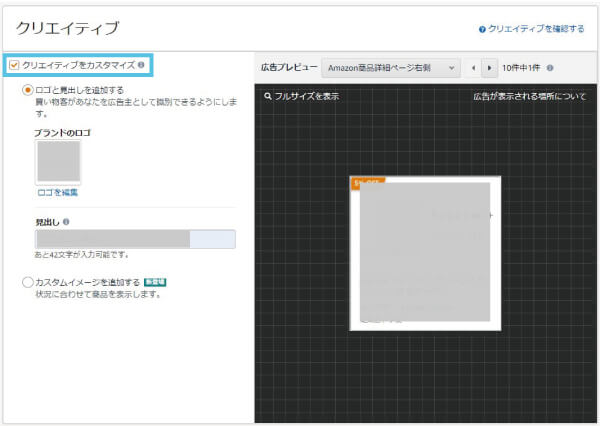
Select “Customize Creative” in the upper-left corner, then select “Add Logo and Headline,” and
You can customize the brand logo and headline.
It helps not only with product awareness but also with brand awareness.
Logo Requirements
- Dimensions: 600 x 100 pixels or larger
- File size: Less than 1 MB
- File format: PNG or JPEG
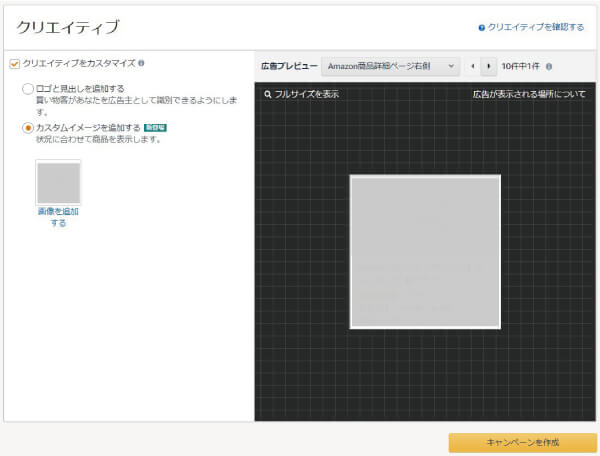
If you select “Add Custom Image,” you can insert a background image that highlights your product.
Custom Image Requirements
- Image size: 1200 × 628 pixels or larger
- File size: 5 MB or less
- File formats: PNG, JPEG, or GIF
- Content: No text, graphics, or logos have been added to the image.
In "Add a Custom Image,"
We can't adjust the image size to fit the ad space, so depending on where it's displayed, part of the image may be cut off.
For that reason, we currently recommend "Add a logo and headline."
In the future, it is expected that this feature will be improved to allow users to change custom image sizes for each display location.
Finally, click "Create Campaign" in the lower-right corner to complete the process.
If you're running sponsored display ads for the first time
If you're interested in running sponsored display ads,
We recommend either “Product Targeting” or “Browsing Remarketing.”
Since we can reach people who have shown interest in the products featured in our ads at least once,
CTR and CVR tend to be high.
In fact, the CTR is about 3 to 4 times higher than when we ran the campaign using Amazon Audiences.
Finally
Sponsored display ads are designed for intermediate-level advertisers looking to further boost their sales.
If you've never run ads on Amazon before,
We recommend starting with Sponsored Products ads.



アイキャッチnew.jpg)