
The much-talked-about AI chatbot “Chat GPT” has been making waves since its launch in November 2022, and a new model, “GPT-4o,” was announced in May 2024.
People were sharing all sorts of ways to use it on Twitter, too, weren't they?
It's been over a year since it was implemented—have any of you tried it yet?
"I can't very well ask how to use it at this point..."
"I've started using ChatGPT, but how do I get the most out of it?"
For those of you who are wondering about this, in this post, we’ll share some tips on how to use ChatGPT effectively!
What is ChatGPT?
ChatGPT is a system developed by OpenAI, a U.S.-based company, that responds to questions entered by users in a conversational format
This is a text-based chat service powered by AI.
ChatGPT Official Website:https://chat.openai.com/auth/login
ChatGPT is based on a programming language called "GPT," which is used for automatically generating novels and creating dialogue in games.
GPT includes features that allow it to store vast amounts of information from the internet and remember past conversations.
Although there are paid plans available, the service is basically free and can be used online without having to install any apps, so
It's a convenient service that you can use anywhere as long as you have an internet connection.
How is the latest GPT-4o different from previous versions?
GPT-4o was released in May 2024. It offers a significant performance improvement over the previous version, GPT-4.
In the latest GPT-4 update, the character limit was increased from 2,500 to 25,000 characters,
New features have been added, such as the ability to reply to images.
In this update, processing speed has improved compared to previous versions, and
Image and text recognition capabilities have been significantly enhanced.
In addition, this update finally adds support for voice recognition.
Responses in a conversational format are now also available.
Incidentally, when it comes to cognitive abilities, it is said that they are already capable of performing at a level equal to or even surpassing that of humans.
It's surprising, isn't it…

Also, while previous versions of ChatGPT only had information up to September 2021,
Starting with this update, they have begun responding to inquiries regarding content from now through May 2024.
That said, since the information ChatGPT provides is based on data that has existed on the internet in the past, there is a possibility that it may return inaccurate answers.
For that reason, just to be on the safe side, you should double-check the information you receive to make sure it's accurate.
How to Use ChatGPT
Now, let's talk about how to actually use ChatGPT.
The main things you can do with ChatGPT include:
・Editing and proofreading
・Summaries of articles and books
・Brainstorming and idea generation
・Research
・Brainstorming
・Coding
and so on.
Depending on your goals, there are various ways to use it.
Getting Started
As mentioned earlier, since ChatGPT is a web-based service, there’s no need to download an app.
However, you'll need to do a little preparation before you can use it.
1. Go to the ChatGPT website.
ChatGPT Official Website:https://openai.com/blog/chatgpt/
2. If you don't have an account, click "Sign up" on the right to create one.
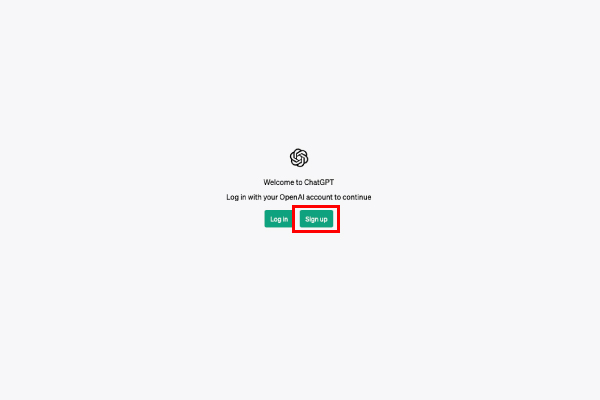
3. Complete the initial account registration.
Enter your email address and set a password.
4. You will receive a verification code at the email address you registered; use it to complete the final setup.
You're now ready to use it.
Let's actually ask some questions!
Let's log in using the account we just created!
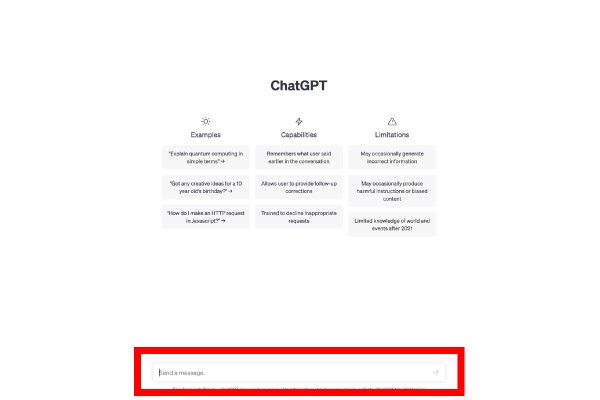
The question itself is simple, and you can ask it just as easily as sending a message on social media.
Enter your question in the text box outlined in red.
This system works by allowing you to enter a question here and receive an answer.
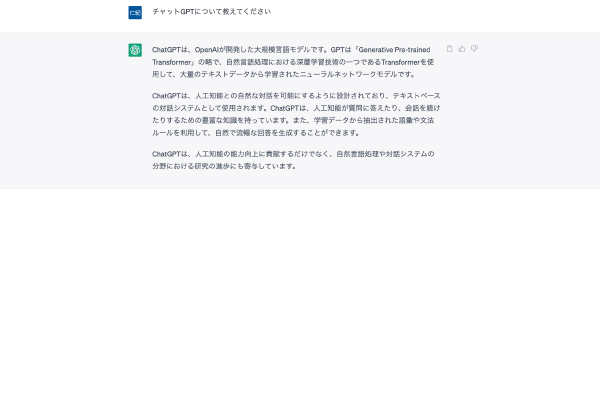
This time, I learned about ChatGPT itself.
By the way, if you look at this screen alone, you might wonder, “Does it have to be in English?” but it fully supports Japanese, so you can enter text in Japanese without any problems.
If you have any additional concerns regarding the response you received, simply enter another question, and they will answer that as well.
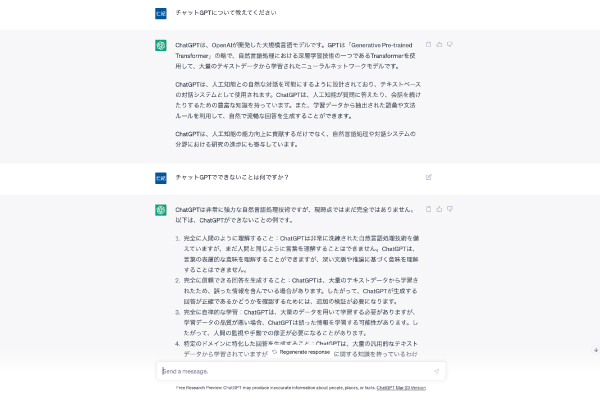
By the way, they’ll even give a thorough answer to a silly question like this.
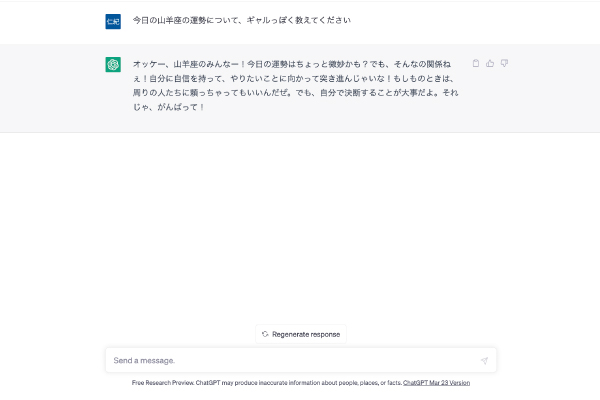
They respond quickly, and it's really convenient to be able to ask questions casually whenever something comes to mind.
Recommended Ways to Use It
From here on, we’ll introduce a few recommended ways to use this feature.
Coding
Personally, I think the best way to use it is for coding.
By using ChatGPT, even people who aren't engineers can easily create a simple website.
I'll go ahead and ask you to create a website for the café.
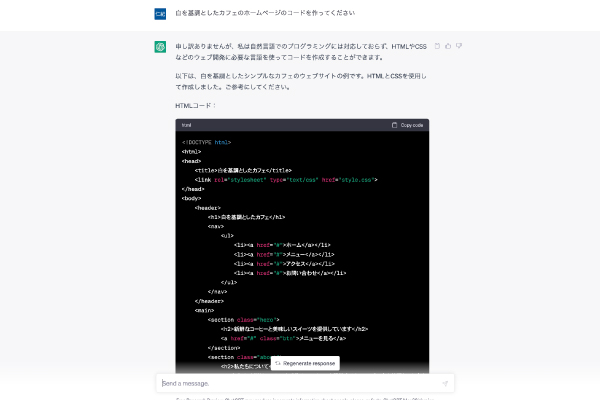
Below is the website created using the code above.
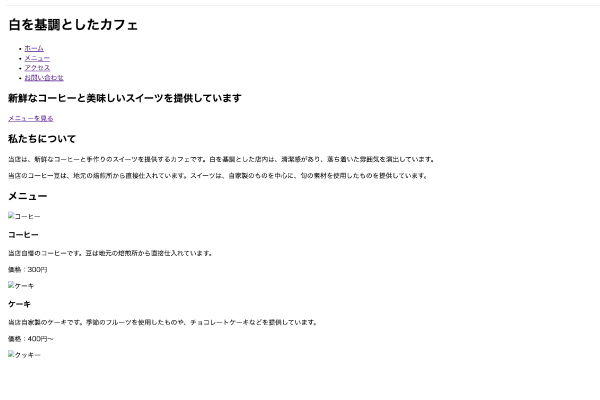
It's very simple, but it's coming together nicely.
If you'd like to edit the code above, just let them know what you'd like to change, and they'll make the corrections for you.
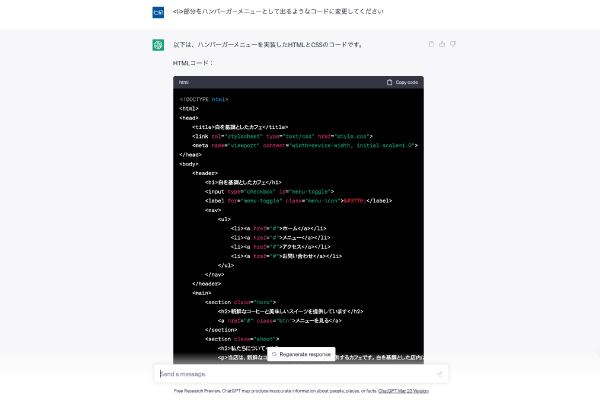
This time, we asked them to add some items to the hamburger menu.
It's definitely been added.
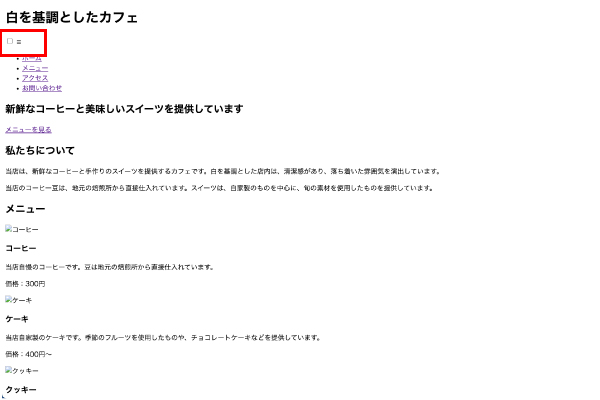
If you keep requesting changes like this,
It seems that even if you're not an engineer, creating a website is pretty easy.
Brainstorming ideas for taglines and other copy
This is a method I actually use quite a bit myself.
When coming up with advertising taglines or deciding on a marketing message, by generating ideas on your own and using ChatGPT to generate additional ideas, you can
The number of ideas you can come up with will vary significantly.
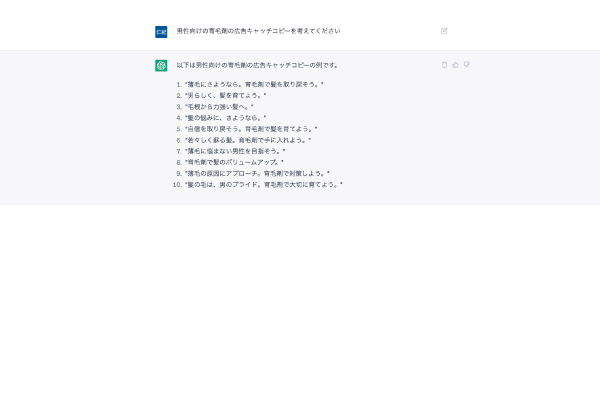
It sounds pretty simple in the video, but if you explain the product’s features and target audience in detail,
They'll come up with a more accurate copy.
If you find yourself stuck trying to come up with copy on your own, using ChatGPT is one option to consider.
Book Summary
This is also a huge help for busy businesspeople.
Just tell it what part of the book you want summarized, and it'll summarize it in no time.
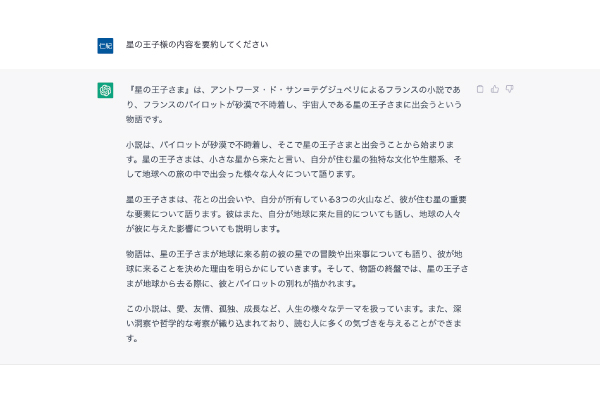
There are books I want to read, but I don't have the time...
We recommend this for people who...
Travel Plans
In addition to the business applications mentioned above, there are other ways to use it as well.
If you tell them your destination and how many nights you'll be staying, they'll make recommendations that thoroughly cover the area's tourist attractions.
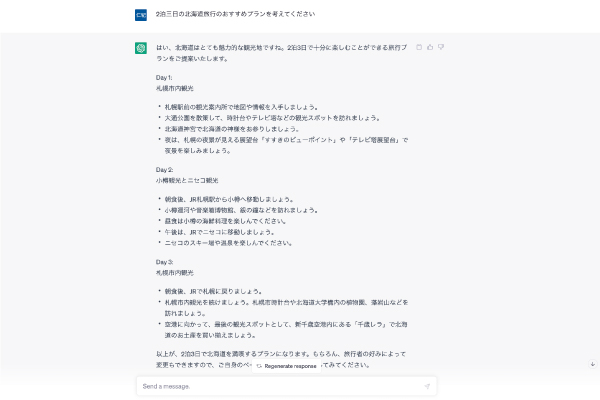
Give this a try if you're having trouble finalizing your travel plans, or if you've been put in charge of organizing a company trip or something like that (lol).
In addition to the examples introduced here, there are many other ways to use it, depending on whether it’s for work or personal use.
How to Use ChatGPT More Effectively
ChatGPT is handy even for everyday use.
But here’s one example of how you can use ChatGPT even more effectively.
Integration with Other Apps
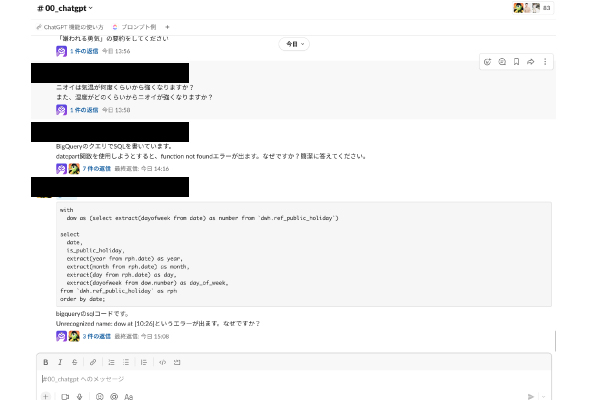
It integrates easily with business tools such as Google Sheets, Notion, and Slack.
Automatically enter information researched using ChatGPT into a spreadsheet, enable users to ask questions directly in Slack,
And so on—there are many ways to set up integrations that make our work more convenient.
In fact, we’ve integrated with Slack here at our company, so you don’t have to go out of your way to open a web page
We're creating an environment where it's easy to ask questions!
Using Prompts
To get the most out of ChatGPT, the “prompts” (commands) you enter are crucial.
For example,
・Define roles and characters
"You are OO." "Please answer as OO."
・Set the prerequisites
"Using the phrase 'OO'," "in language that even elementary school students can understand"
By providing ChatGPT with specific conditions—such as these—you can expect even more accurate responses.
Recently, a tool that lets you search for prompt examples has also been released.
If you're not getting the answers you're looking for, try using a prompt tool—it might help you get the ideal response.
Summary
In this post, we introduced some basic ways to use ChatGPT.
With the release of GPT-4o, its performance has improved even further, making it even more practical for real-world applications.
Since further feature enhancements are planned for the future, we can expect it to become even more convenient.
I'm already excited to see what we'll be able to do!
I recommend that you start experimenting with ChatGPT now so that you can use it more effectively when the time comes!